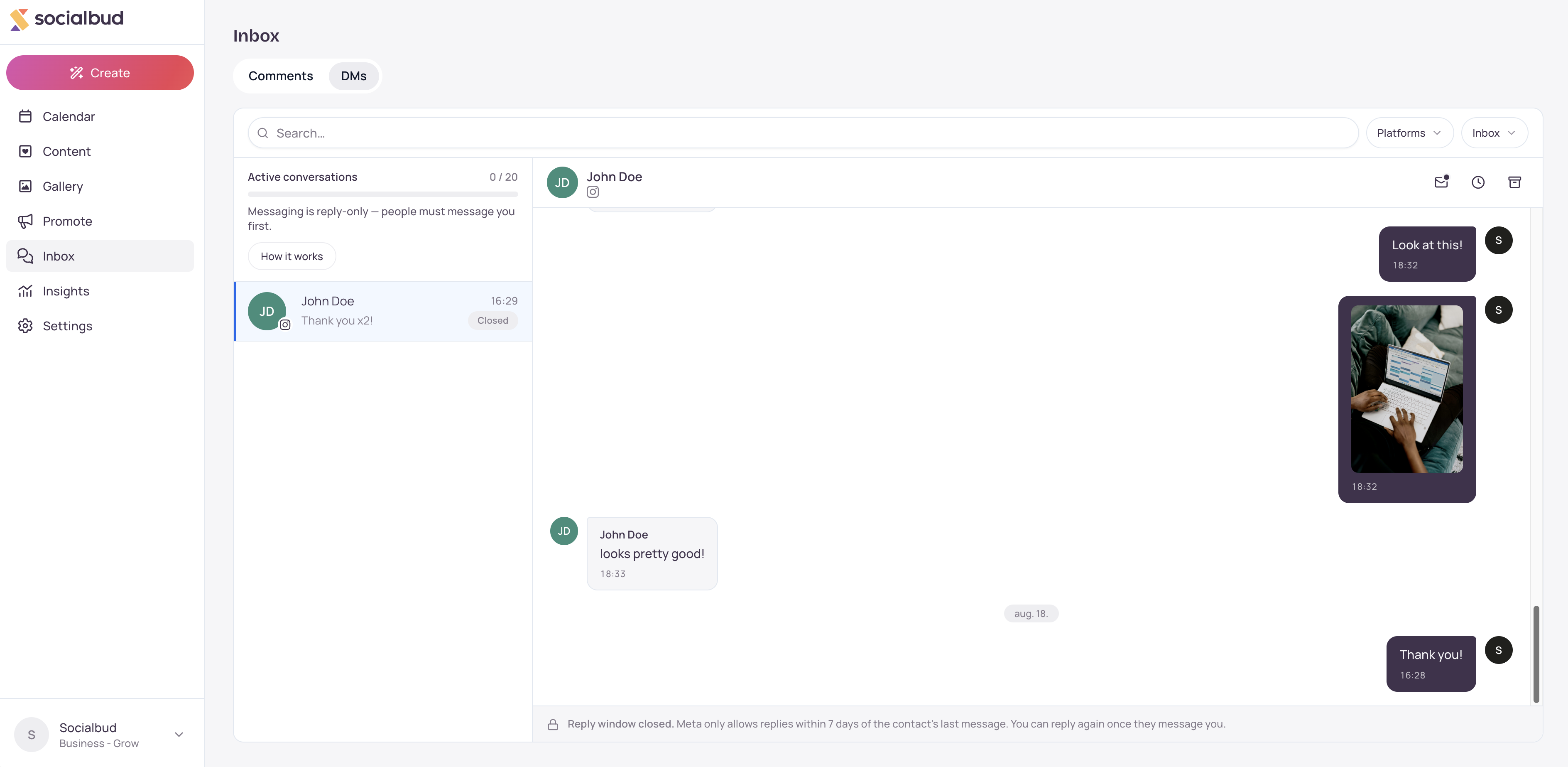
DMs is the Inbox tab for private messages. It brings Facebook and Instagram conversations into Socialbud so you can read and reply in one place. Messaging is reply-only: someone must message you first. Viewing is free. Your first reply in a thread this billing cycle uses one active-conversation credit.
Open Inbox from the left navigation. If your plan includes DMs, select the DMs tab next to Comments.
At the top, Active conversations shows how many credits you have used this cycle, such as 3 / 50, or Unlimited. Select How it works for a short guide.
Conversations land here when someone messages your connected Facebook Page or Instagram account.
The mailbox filter switches between Inbox, Snoozed, and Archived. Search and the platform filter narrow the list.
Open a conversation to read the thread and reply. Your first send in a thread that is not yet active uses 1 credit and shows Conversation activated. Later replies in that same thread do not use another credit until the cycle resets.
On Facebook and Instagram, Meta only allows replies through connected tools within 7 days of the contact's last message. When that window ends, the thread shows as closed. You can still read it. You can reply again after they message you.
Open Inbox, then select DMs.
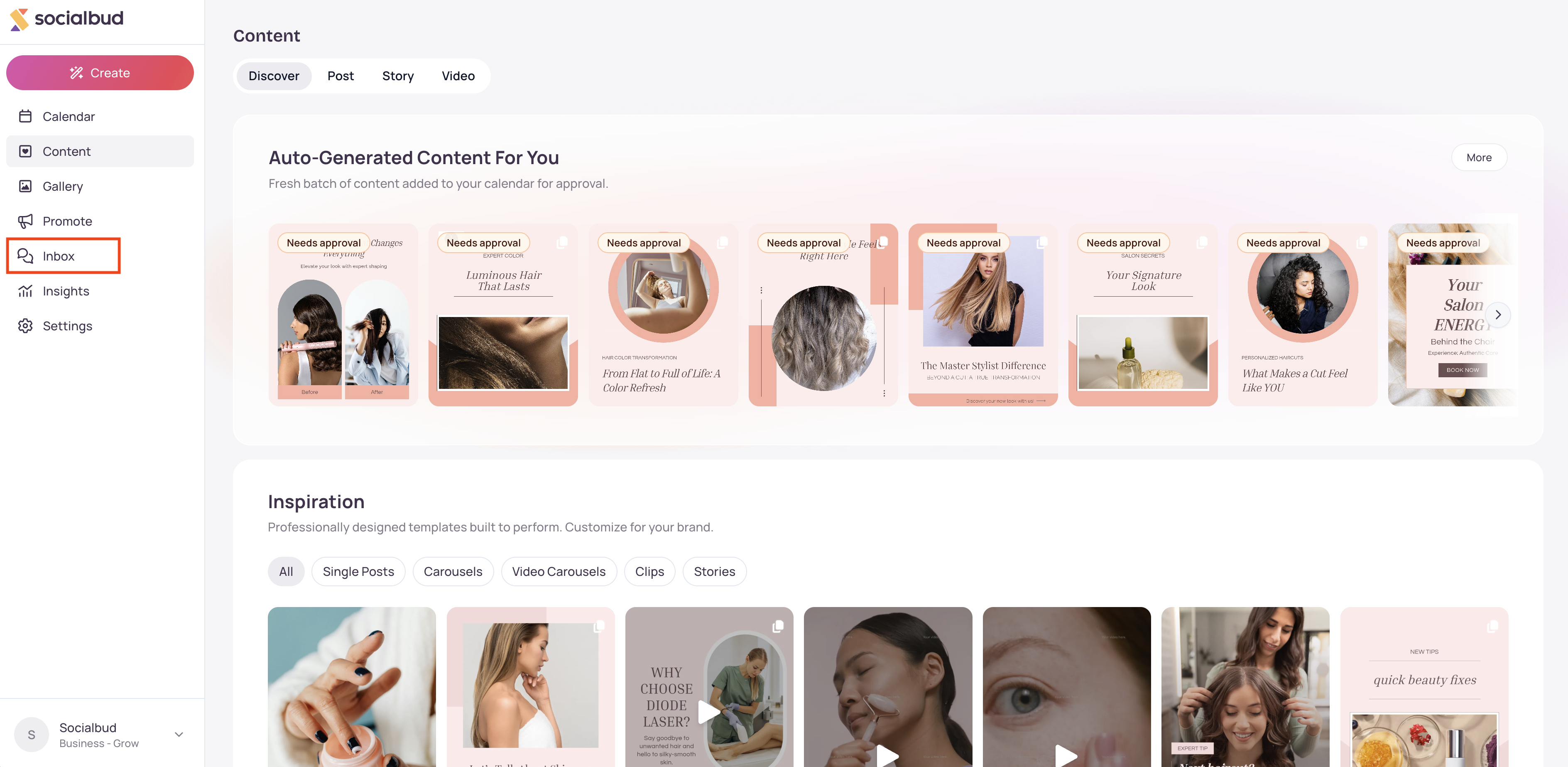
If you see an upgrade screen instead of the inbox, DMs is not on your plan. Upgrade from that screen, or open Settings, then Plan & Billing.
Confirm Facebook and Instagram are connected under Settings, then Socials.
Browse the list. Use Search…, filter by Facebook or Instagram, and switch Inbox, Snoozed, or Archived.
Open a conversation. Type a reply, or attach an image from the Gallery. Select Send.
Optional: select Auto-response above the list to turn on an automatic greeting for new conversations, if that feature is on your plan.
You cannot start a new conversation from Socialbud. People must message you first on Facebook or Instagram.
Reading a thread is free. A credit is used only the first time you send a reply in that thread during the billing cycle.
After a conversation is Active, further replies in it are unlimited until the allowance resets. The page shows when the allowance resets when that date is known.
If you see a banner to reconnect Facebook or Instagram for messages, select Reconnect. That opens Settings, then Socials. Posting is not affected.
Snooze tucks a conversation away until later. Choices include Later today, Tomorrow, This weekend, and Next week. Use Unsnooze to bring it back early.
Archive keeps the conversation out of Inbox without deleting it. Open Archived and select Restore to move it back.
Mark as unread puts the conversation back in an unread state.
Auto-response can thank someone after their first message, with an optional wait such as 15 minutes (default). Each person is greeted at most once a month. An auto-response is a send, so it can use credits. If it is scheduled, you can select Don't send before it goes out.
When another connected app holds send control, the conversation is Locked. Hand control back in your Meta settings to reply from Socialbud.
Comments are on the other Inbox tab. See Comments for public replies on posts.
You see an upgrade screen instead of DMs. DMs must be included in your plan. Upgrade from the gate, or check Plan & Billing.
No conversations yet. Someone has to message you on Facebook or Instagram first. Confirm those channels are connected under Settings, then Socials.
You see "Reconnect Facebook and Instagram to start receiving messages." Select Reconnect, approve access again, and leave posting as it is.
You cannot send a first reply. You may have used all active-conversation credits. You can still reply in conversations that are already Active. Wait for the reset date shown on the page, or upgrade.
You see "Reply window closed." More than 7 days have passed since their last message. Wait until they write again.
You see "Another app has send control of this conversation." Only one app can send in that Facebook or Instagram thread. Hand control back in Meta settings, then try again.
Auto-response is locked or says it is not on your plan. That feature is separate from DMs. Upgrade if you need it. Your settings are kept.
A message failed to send. Check the thread status for Locked or a closed reply window, then try again. Your draft stays until the send succeeds.
Which platforms are supported? Facebook and Instagram, for accounts you have connected.
What’s the difference between Comments and DMs? Comments are replies on your posts. DMs are private messages. Both live under Inbox, on separate tabs when your plan includes them.
Does opening a conversation use a credit? No. Viewing and reading are free. A credit is used when you send the first reply in that thread this billing cycle.
Can I message someone who has not written to me? No. Messaging is reply-only.

