Our Black Friday deal is now live:
Get 50% OFF all plans — and keep your discount forever.
Use code: BLACKFRIDAY50 before midnight on December 3.
Follow the steps below to activate your discount.
In the app, look at the left sidebar, scroll to the bottom, and click:
See Plans
This will open the Plan Selection page.
On the Plan Selection page, pick the plan that best fits your needs —
monthly or yearly, any plan is eligible for the 50% discount.
Click the plan you want to continue.
On the next screen, you will see an option:
Apply Coupon
Click Apply Coupon
Enter the code BLACKFRIDAY50
Press the blue arrow to confirm
You should immediately see the price updated with 50% OFF.
Click Edit Order (back button).
You should still see the discounted price — this confirms the coupon has been applied correctly.
Fill in your:
Personal details
Billing information
Credit card details
Then finalize your subscription.
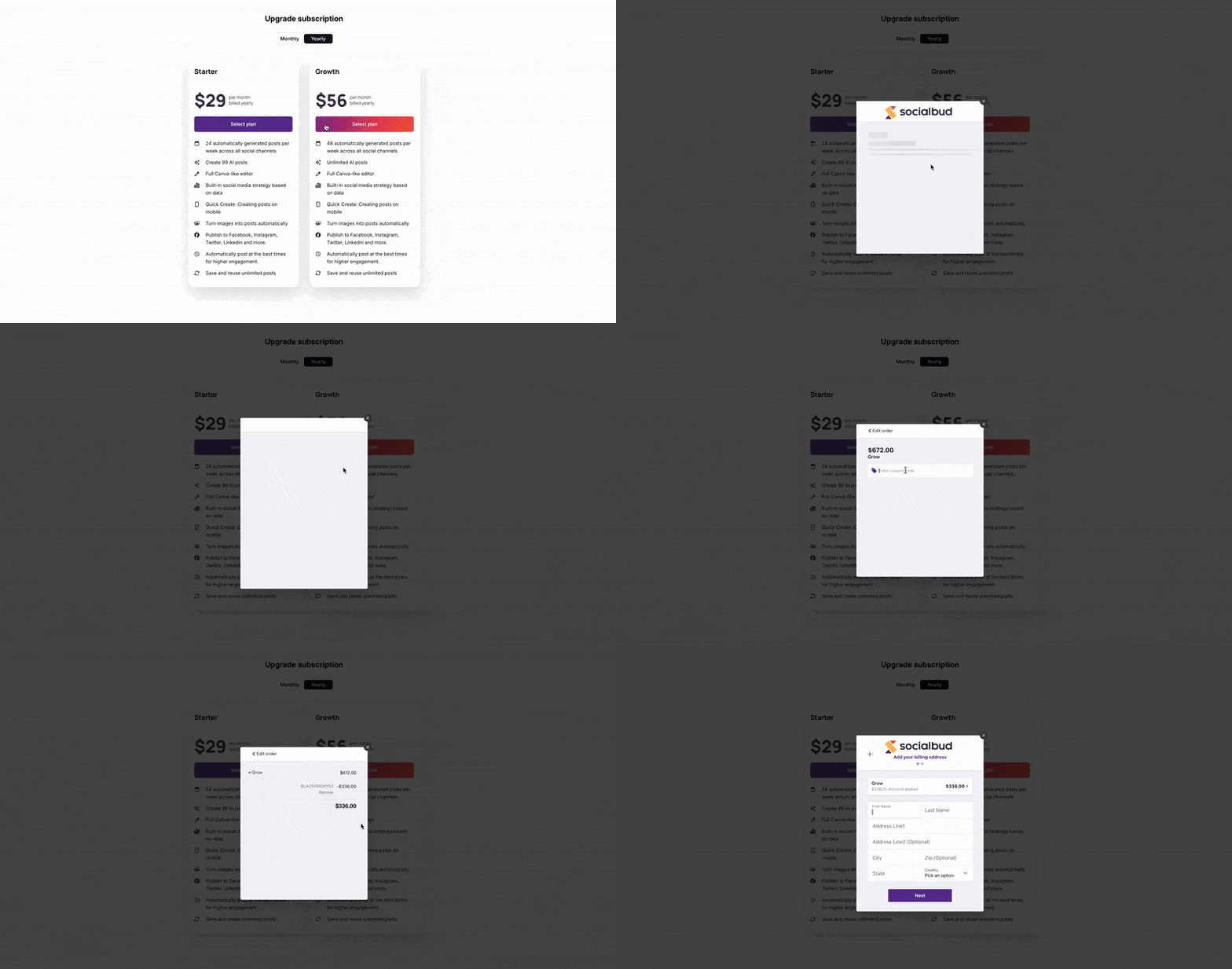
In the left sidebar of the app, scroll to the bottom and click:
Manage Plan
This will open the billing modal.
Inside the modal, find the section showing:
Your current plan
The plan price (this is the amount you want the discount applied to)
Click the plan you want to modify or upgrade.
Once you’re on the plan page:
Look for Apply Coupon
Enter BLACKFRIDAY50
Click the blue arrow to confirm
You will immediately see the updated price showing 50% OFF.
Click Edit Order to go back one step — the discounted price should still be visible.
This confirms everything is correctly applied.
Fill in any missing billing or payment details, and finalize the process.
