The menu on your name is for this signed-in person: your profile, plan and billing, support, and signing out. My Profile is where you set the name shown in Socialbud, the app language, the time format, email alerts, your sign-in email, and your password. Brand look, content language, and social connections are under Settings, not here.
At the bottom of the left navigation, click your name. Your plan name is shown under it when you have one.
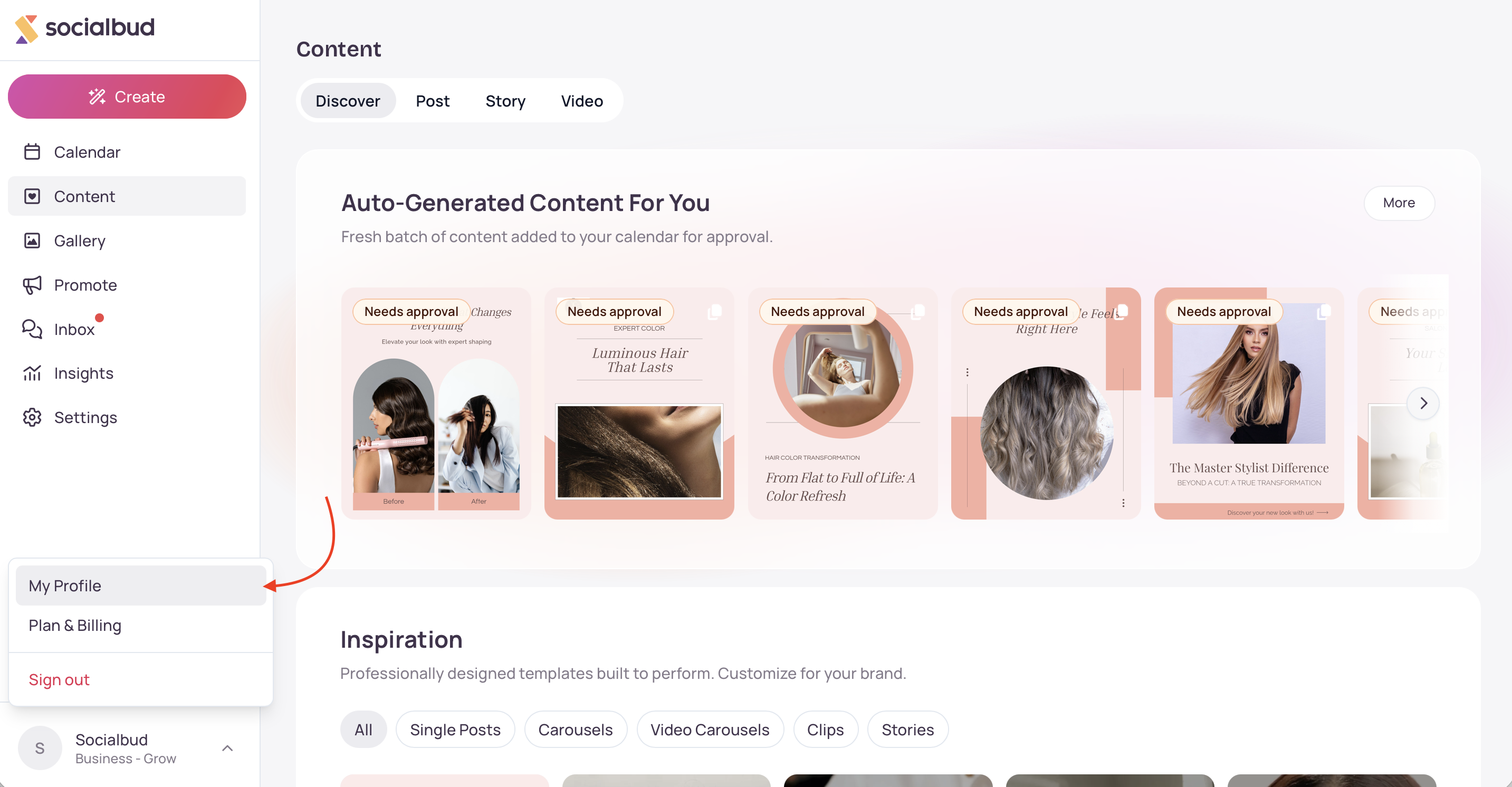
The menu opens upward. It includes My Profile, Plan & Billing, Talk to us when support chat is available, and Sign out.
My Profile edits your personal settings. Plan & Billing opens the workspace plan. Sign out ends this session.
Click your name at the bottom left. It is the row with your initial, not a separate profile icon.
Choose an item. Click outside the menu to close it.
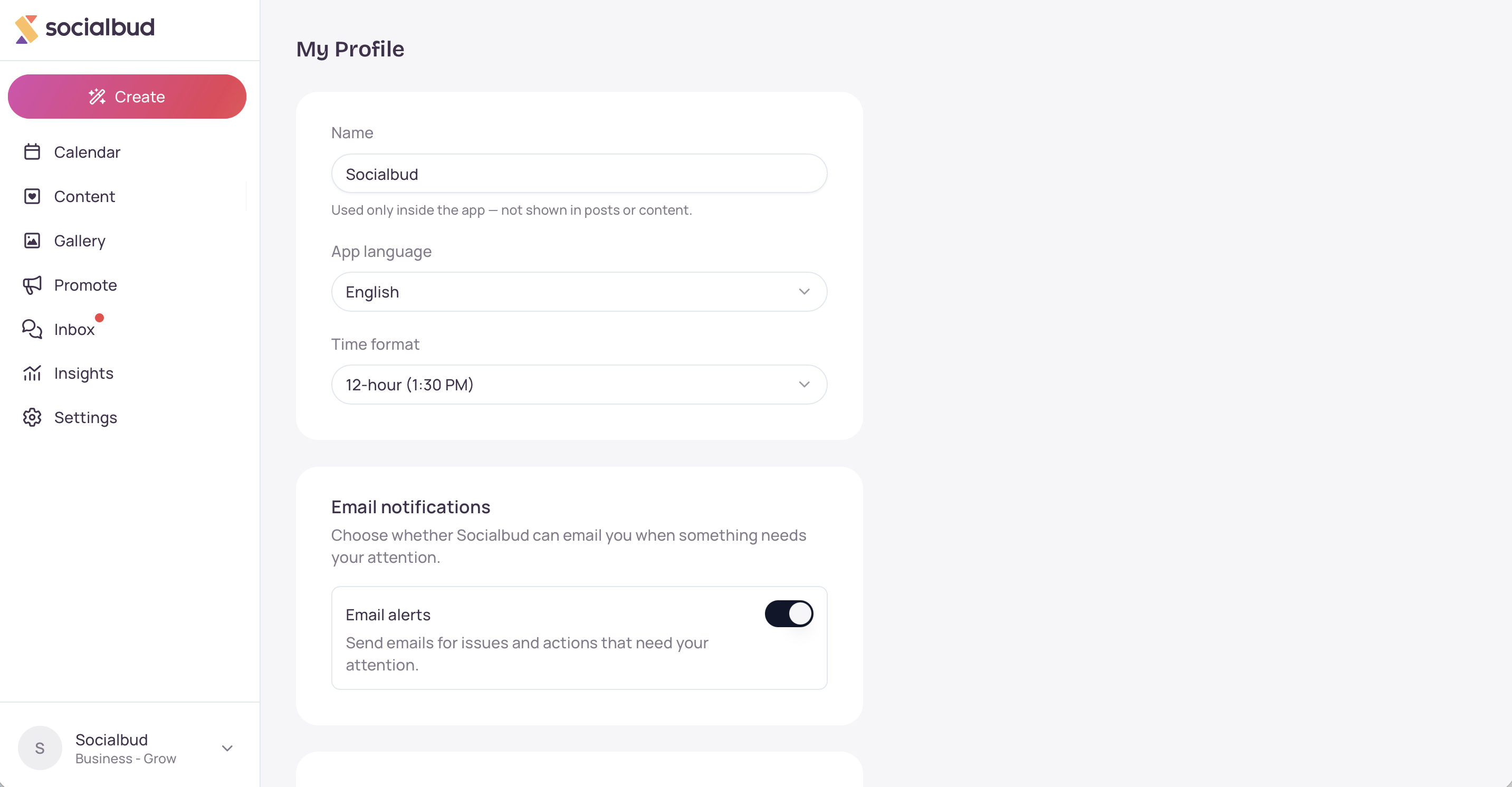
Open My Profile from the menu. On a wide screen the page title is My Profile.
Name, language, and time
Name — the name shown inside Socialbud. The hint under the field says it is used only inside the app, not in posts or content.
App language — the language of menus and buttons.
Time format — 12-hour (1:30 PM) or 24-hour (13:30).

Email notifications
Email alerts controls whether Socialbud emails you about issues and actions that need your attention.
The switch saves on its own. You don’t use Save changes for it. While it saves, you’ll see Saving email notification setting….
Change email
Under Change email, your current address is labeled Email address.
Enter New email.
Click Update email. The button shows Updating… while it sends.
You’ll see Check your new email to confirm the change. Open that message and confirm before the new address is used to sign in.
Change password
Under Change password, enter New password and Confirm new password.
Click Update password.
You’ll see Password updated. The new password works the next time you sign in.
Socialbud does not ask for your current password on this form. The new password must be at least 6 characters, and the two fields must match.
Plan & Billing in this menu opens the same plan page as Settings → Plan & Billing.
Talk to us opens support chat. It appears after your session is ready. If it is missing right after the page loads, wait a moment and open the menu again.
Click Sign out. You return to the sign-in page.
App language changes the interface. The language of generated posts is Content language on Settings → Brand.
Name is not published on your social posts.
Email alerts is the control for notification emails. You don’t need to delete the workspace to stop them.
Workspace brand, logos, and connected social accounts belong to the account. They stay in place when you only update My Profile.
I changed my name or language and it reverted. Click Save changes before you leave the page. Cancel restores the last saved values.
Email alerts switched back. The page shows Failed to update notification settings. Please try again. Turn the switch on or off again.
Update email didn’t change my sign-in address. Confirm the link sent to the new address. Until you do, the current Email address stays in use.
Passwords do not match. Re-enter New password and Confirm new password so they are the same.
Password must be at least 6 characters. Use a longer password and submit again.
I don’t see Change password. That form is hidden while someone is only viewing this account. Sign in as yourself to change your password.
Talk to us is missing. Open the menu again after the page has finished loading.

