How Socialbud AI counts generated posts
When you create posts using Socialbud AI, the counter on the home screen tracks how many posts you've generated in a month. This article explains how the system works and addresses common questions about the counting process.
Socialbud AI maximizes efficiency by generating three posts for every user-initiated post creation action, regardless of the AI-powered feature you use. This approach allows you to select the best post for your needs or use all three for variety across your social channels.
Because each generation produces three posts, the home screen counter decreases in increments of three whenever you initiate a generation. This ensures the counter reflects the actual number of posts created, not just the number of times you've initiated the AI.
For example, if you subscribe to the Grow plan, which allows up to 499 Socialbud AI posts per month, the counter will decrease by three with each generation. After the first generation, the counter will display 496 remaining posts..
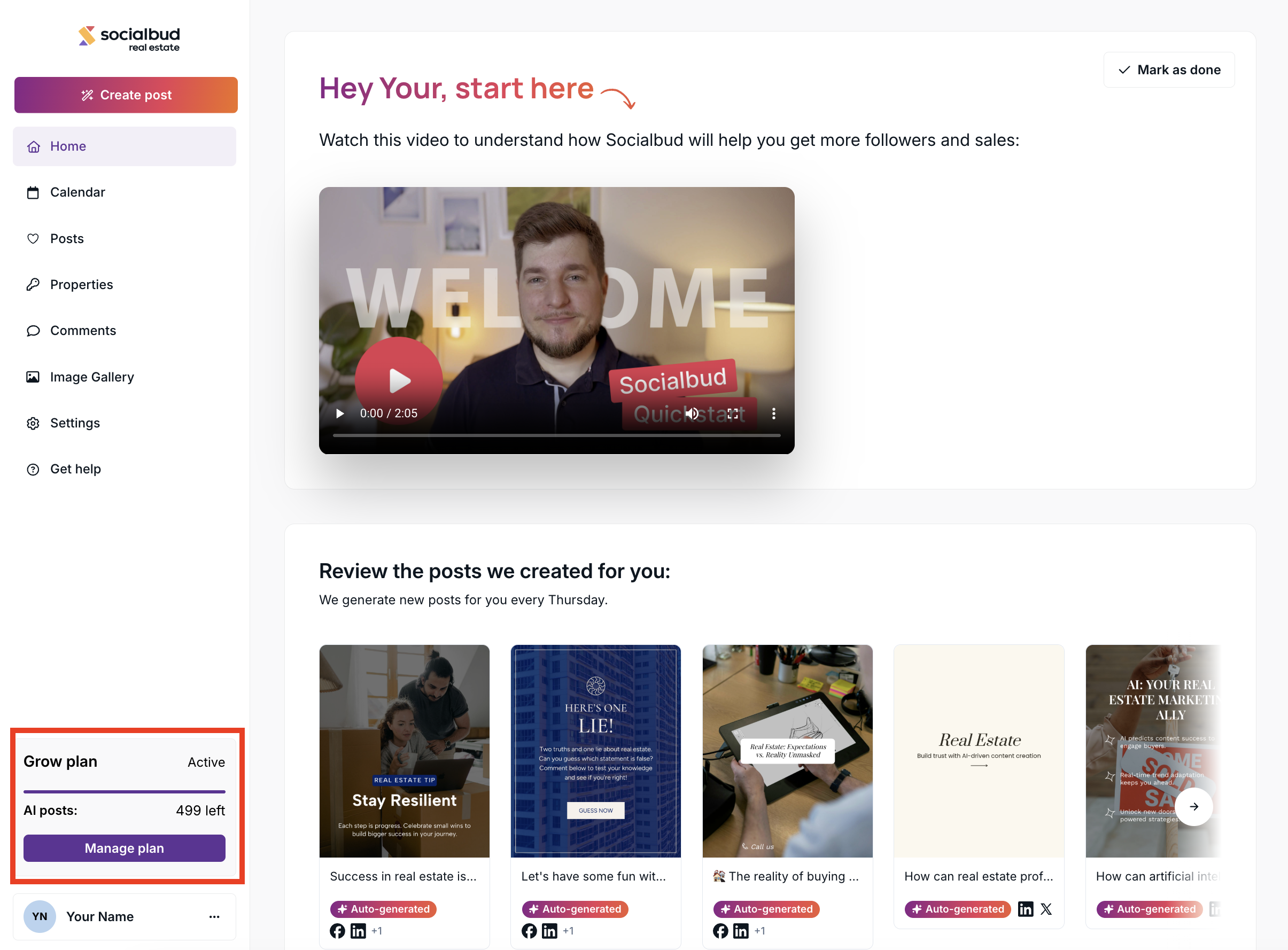
If you have any issues, such as being unable to generate new posts, please contact our Customer Support team.
What happens if I don’t use the generated posts?
Even if you choose not to save, schedule, or engage with the posts generated by Socialbud AI, the counter will still decrease by three. This is because the generation process has already consumed resources to create those posts, regardless of whether they are used. Therefore, the counter reflects the resources expended during the creation process, regardless of the outcome.
What happens to unused generation opportunities at the end of the month?
Any unused generation opportunities do not carry over to the following month and are not eligible for a refund. At the end of the billing period, any remaining generation capacity simply expires. To maximize your subscription benefits, plan and manage your usage effectively within the monthly limits.
Why does Socialbud AI generate three posts per action?
Socialbud AI generates three posts per request to provide variety and flexibility. This approach allows you to:
Select the best option for your brand or campaign.
Use different posts across platforms for optimized engagement.
Save additional posts for future use.
This process ensures you have multiple options to streamline your content creation.
Does the counter reset?
Yes, the counter resets every month on the anniversary of your subscription start date. For example, if your subscription begins on December 15, 2024, the counter will reset on January 15, 2025.
Start Plan: Both the Socialbud AI post generation counter (99 posts) and the counter for automatically prepared posts (3 posts/week) reset to their respective maximums.
Grow Plan: Both the Socialbud AI post generation counter (499 posts) and the counter for automatically prepared posts (Daily ready-to-post content - 30 posts/month) reset to their respective maximums.

